
How Google Play keywords differ from the App Store
On Google Play, keyword research ends in three visible fields: the 30-character title, the 80-character short description and the 4,000-character full description. There is no hidden keyword box like Apple's, so every keyword you target must also read well to a human. That makes the job less about volume and more about choosing a few phrases and writing them naturally.
Step 1: Write a seed list
Before opening any tool, write 10 to 20 phrases that describe what the app does and the problem it solves. Use your users' words, not your internal feature names. Support emails and your own reviews are good sources. A budgeting app's seeds might be budget planner, expense tracker, money manager, bill reminder and save money.
Step 2: Expand with Google Play search suggestions
Type each seed slowly into the Google Play search box and note the autocomplete suggestions. They come from real searches, so they are a free, honest signal of demand. Try variations:
- Seed plus a letter (expense tracker a…, b…) to surface long-tail phrases.
- Seed plus a use case (expense tracker for couples, … offline).
- The same seeds in each language you plan to localize for. Translations of your English list are rarely the phrases locals type.
Keep everything in a simple sheet with columns for phrase, source and notes.
Step 3: Check who ranks and how they phrase it
Search each promising phrase on Google Play and open the top five apps. Here you want to know three things: who ranks (giants or small apps), where they put the phrase (title, short or full description) and how often.
Doing this by hand is slow. With Play Store ASO Tweak installed, each listing shows a keyword analysis card under the app:
- Character budgets for the title, short and full description (for example 27/30, 79/80, 3,195/4,000), so you see who uses every character.
- A density table for each field, switchable between one, two and three-word phrases.
- A switch to filter common words (for, the, and) so the real keyword themes stand out.
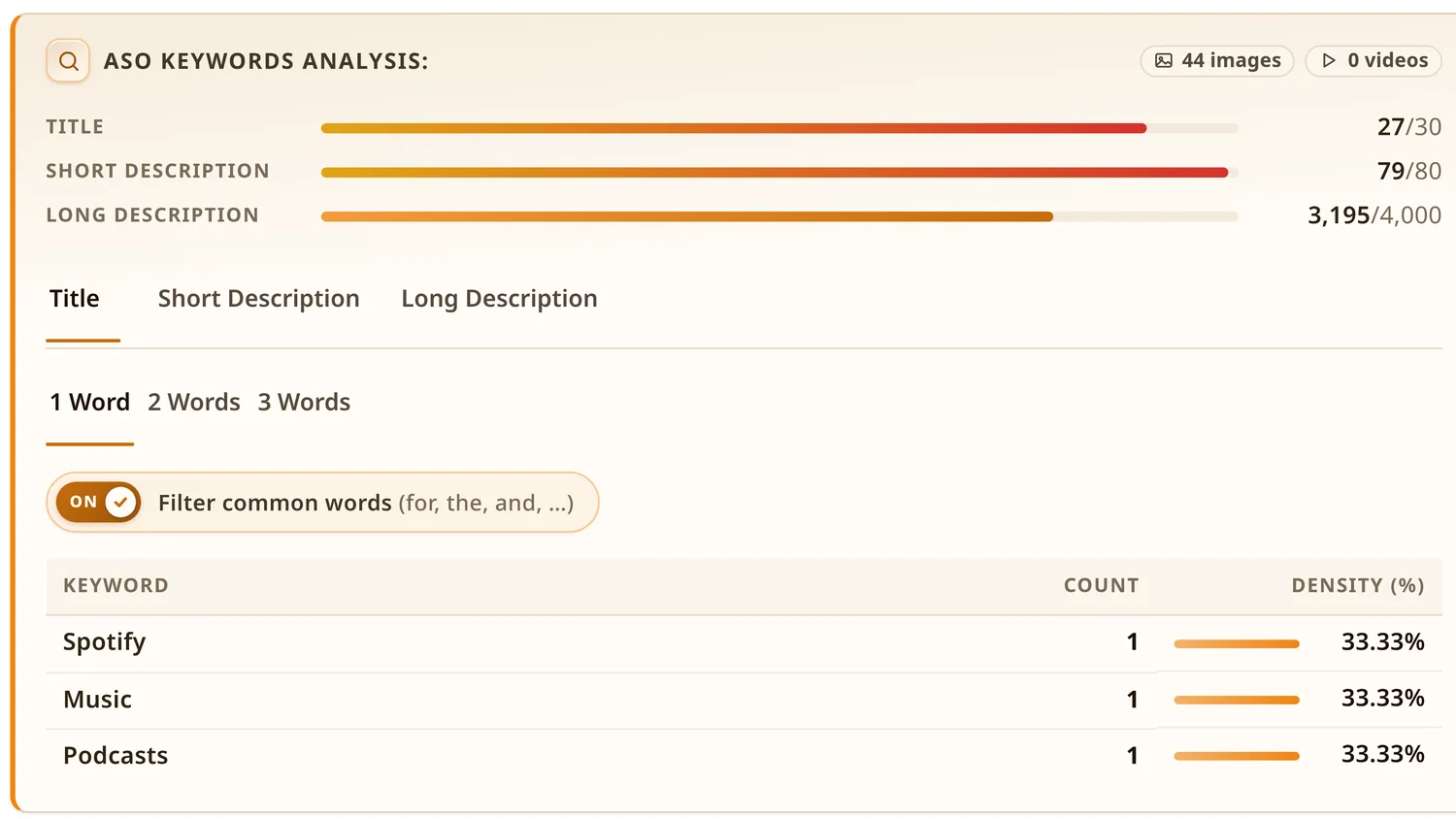
Two-word and three-word tabs are the most useful. Single words are noisy, while phrases like expense tracker or budget planner app show intent. If you need a record, export the listing as CSV, JSON, TXT or Markdown and paste it into your sheet.
Step 4: Score and choose
You will not have exact search volume from free sources, and that is fine. Score each phrase from 1 to 3 on:
| Criterion | Question to ask |
|---|---|
| Relevance | Would someone who types this be happy to find my app? |
| Demand | Does it appear in suggestions, and do strong apps target it? |
| Difficulty | Are the top results huge brands with millions of installs, or apps my size? |
New apps should favour high-relevance, lower-difficulty long-tail phrases first, then move up to broader terms as installs and ratings grow. The install tiers and estimated daily installs in the extension's panel give a quick sense of how big each competitor is.
Step 5: Place keywords in the listing
- Title (30): brand plus your main phrase, for example Pennywise: Expense Tracker. Keep it readable.
- Short description (80): one clear benefit sentence that includes one or two secondary phrases.
- Full description (4,000): open with a two-line summary, then one short section per feature theme. Mention each important phrase a few times where it fits naturally, and use related words and synonyms.
Google Play's metadata policy rules out keyword lists, repeated terms, other apps' names, and ranking claims like "best" or "#1" in the title. Treat the policy as a hard limit. A rejected update costs more than any keyword gains.
Step 6: Measure and repeat
After publishing, wait two to four weeks. Then check Play Console's store performance data for the search terms that bring visitors and installs. Keep phrases that convert, rethink ones that bring visitors but no installs, and recheck competitors every quarter. Your keyword research is also only valid in markets where your app is live, so check coverage with the Country Availability Checker before localizing.
Common keyword research mistakes
- Chasing one giant keyword. "Photo editor" is owned by apps with hundreds of millions of installs. "Photo editor for product photos" might be winnable.
- Copying a competitor's text. Learn the themes, write your own words. Duplicate text helps no one.
- Translating keywords literally. Redo steps 1 to 4 per language.
- Changing everything at once. You won't know what worked. Change one field, log the date and measure.
For the bigger picture, see the Google Play ASO guide, and for a deeper look at rival apps, how to analyse a Google Play competitor.

