


App info at a glance
Title, both descriptions, package, version, category, content rating and Android requirement — with copy buttons on everything worth pasting.
Chrome & Firefox · no account needed
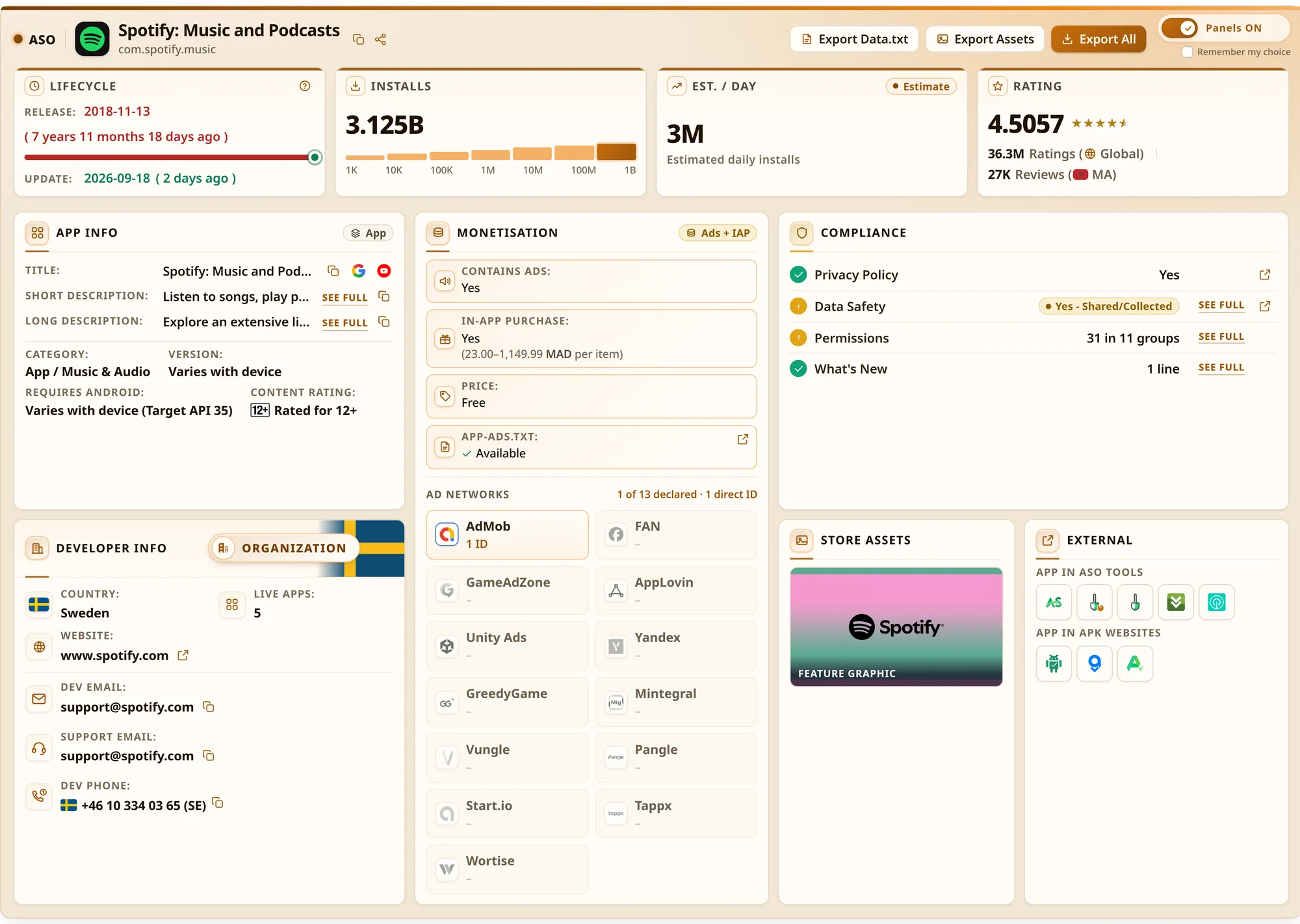
Open any Google Play app or developer page and the whole picture is already there: metadata, keywords, monetisation, ad networks, compliance and exports — without a single tab switch.
Features
Each card below is part of the panel that appears under the app listing.
Title, both descriptions, package, version, category, content rating and Android requirement — with copy buttons on everything worth pasting.
Release and update dates with an age signal, the install tier on a scale, and an estimated daily install figure for the app's whole life.
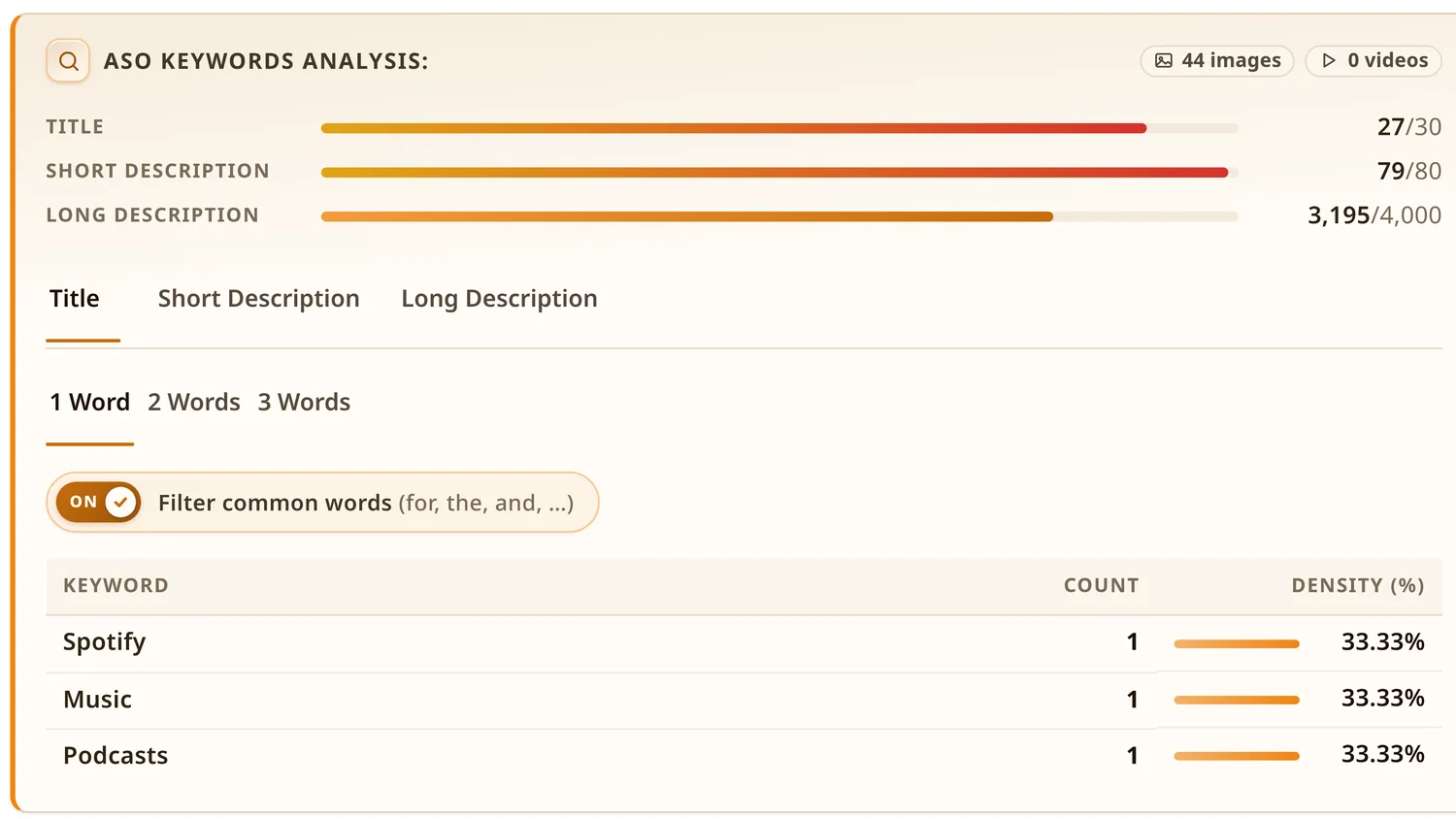
Density for the title, short and long description, in one, two and three-word phrases, with common words filtered out and character budgets shown.
Ads, in-app purchase ranges and price, plus the ad networks declared in app-ads.txt, counted by unique direct ID.
Privacy policy, data safety, permissions by group and the latest release notes — each expandable in place.
Icons, screenshots and promo video in one ZIP, or the listing as TXT, CSV, JSON or Markdown — ready for a report or a competitor sheet.
Screens
Real screenshots from the extension, not mockups.
Switch between the title, short and long description, then between one, two and three-word phrases. Common words can be filtered out with one switch, and the character budgets sit on top.
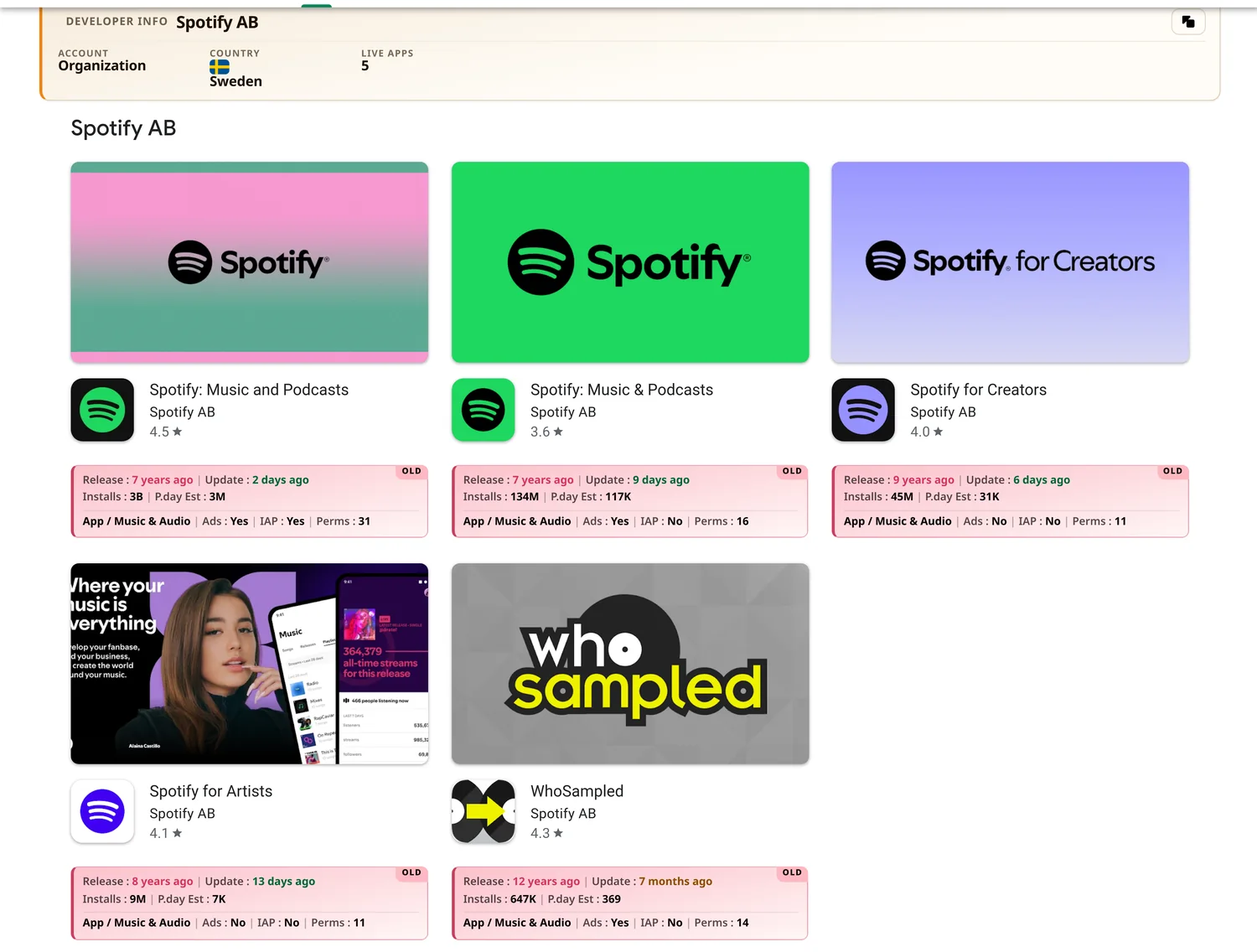
Each tile gains release and update ages, installs, the daily estimate, category, ads, in-app purchase and permission count — so a portfolio can be read in one pass.
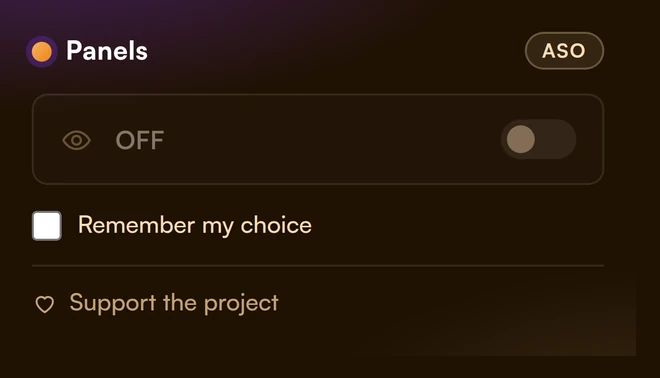
One switch in the toolbar popup hides every panel, and remembers the choice if you ask it to.
Free web tool
A companion tool that runs in the browser — no install, no account.
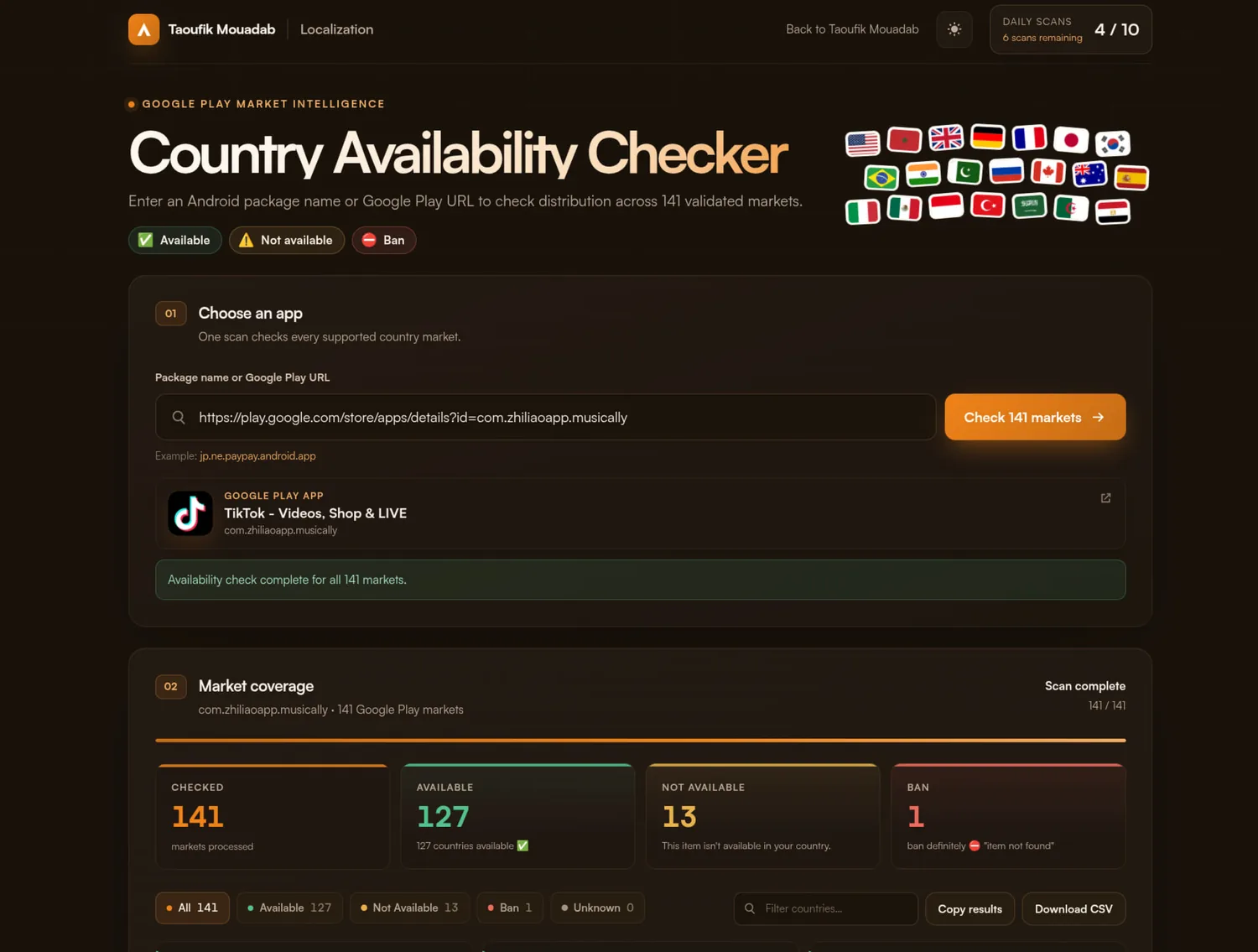
Paste a package name or a Google Play link and see where the app is available, where it is not, and where it is blocked — across 141 validated markets, with a filter, copy button and a CSV download.
The panel appears by itself. There is nothing to sign up for and nothing to configure.
Reads only the public Play Store page you are already on.
FAQ
The extension is free to install from the Chrome Web Store and Firefox Add-ons.
It reads the public Play Store page you are viewing, and the work happens in your browser. There is no account to create and nothing to set up.
From the public listing you are looking at. Figures marked as an estimate are calculated, not published by Google, so treat them as a guide.
Not yet. It covers Google Play app and developer pages today.
Your browser updates it automatically from the store you installed it from.
Email contact@taoufikmouadab.com and you will usually get an answer within a day.